| Number | Name | Function |
|---|
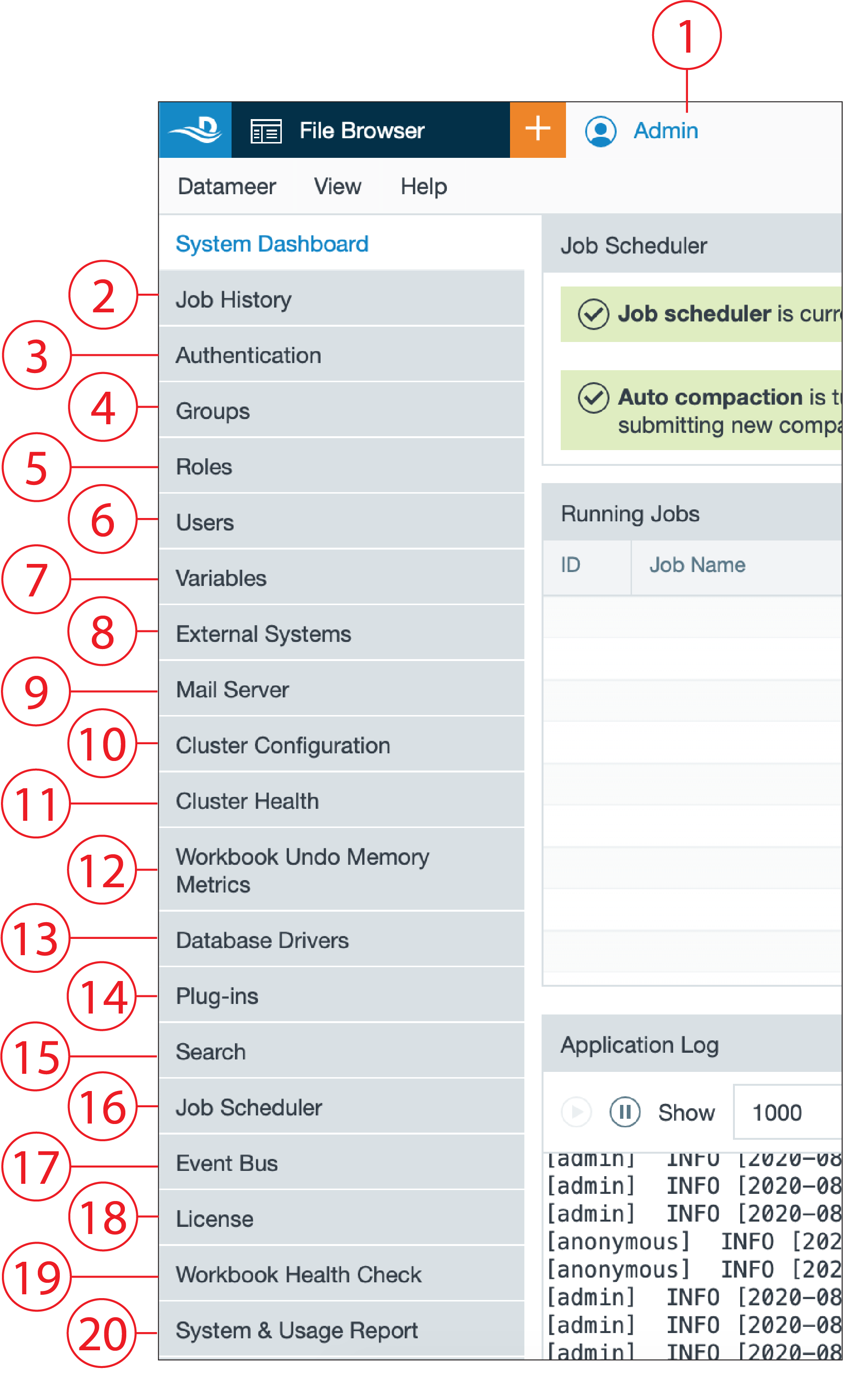
| 1 | 'Admin' tab | - central tab for all administrative settings
|
| 2 | System Dashboard | - contains the following:
- job scheduler
- running jobs
- application log
- version information
|
| 3 | Authentication | - contains the following:
- authentication mode
- cache refresh interval
- authenticator cache
|
| 4 | Groups | |
| 5 | Roles | |
| 6 | Users | - manage authentic able users and groups
|
| 7 | Variables | - view and create global variables
|
| 8 | External Systems | - set up and manage external systems
|
| 9 | Mail Server | - view and edit mail server settings
|
| 10 | Cluster Configuration | - view and manage the cluster configuration
|
| 11 | Cluster Health | - view the filesystem usage and Hadoop cluster diagnostics
|
| 12 | Workbook Undo Memory Metrics | - view and configure workbook metrics
|
| 13 | Database Drivers | - view and configure database drivers
|
| 14 | Plug-ins | - view and manage the plug-ins and extension points
- upload new plug-ins
|
| 15 | Search | - manage the search settings an view the search statistics
|
| 16 | Job Scheduler | - configure the number of job scheduler threads
|
| 17 | Event Bus | - configure the number of event bus threads
|
| 18 | License | - view license data and status
- upload a license
|
| 19 | Workbook Health Check | - view the Workbook Health Graph and Health Report, and execute the Workbook Health Check
|
| 20 | System & Usage Report | - view and download the System & Usage Report
|